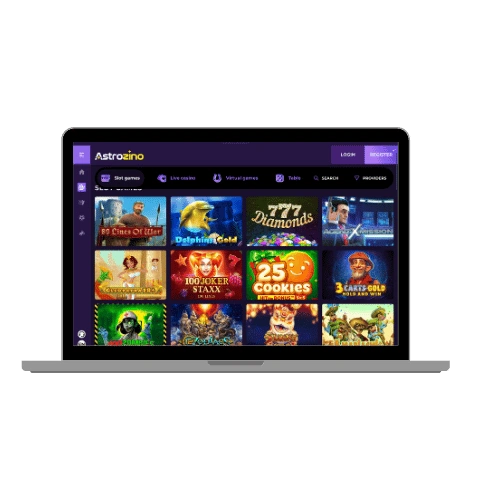

Astrozino Casino App

Your stars are aligned

Grab the Astrozino app and start playing today.

Astrozino apk

We built the Astrozino casino app for players who don’t want to be tied to a desktop. Whether you’re on the bus, on your lunch break, or just on the sofa, the app puts over 8,000 games right in your pocket. Slots, live tables, sports betting, the lot. It’s all there, and it runs smoothly on Android, macOS, and directly in your mobile browser.

New players get a Welcome Bonus of 140% up to £1,000 when they sign up. That’s a solid welcome package to kick things off, and you can claim it straight through the app. We’re not going to bury the wagering requirements in small print either. Check the terms, know what you’re signing up for, and play smart.
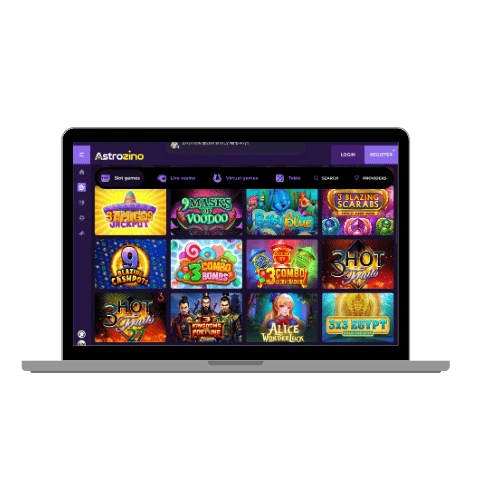
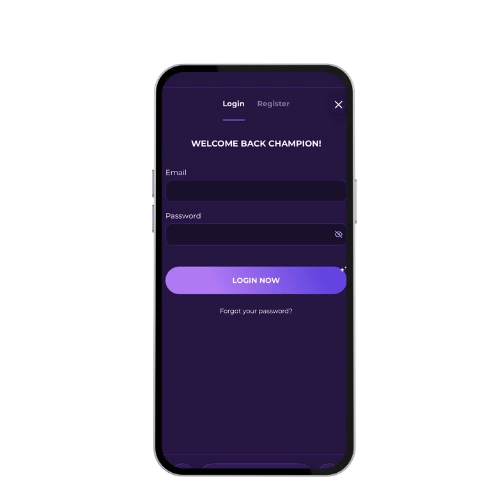
Astrozino app

Key Features

The Astrozino app isn’t just a shrunken version of the website. We’ve made sure the user experience holds up on a small screen. Navigation is clean, loading times are quick, and you won’t find yourself squinting at tiny buttons. Here’s what you’re getting:

  • Over 8,000 games including slot games, table games, and live casino games
  • Live Dealer Games from top-tier game providers
  • Sports Betting built directly into the app
  • Progressive jackpot slots with real prize pools
  • Cashback rewards and regular casino bonuses
  • 24/7 Priority Support via live chat and email
  • Multiple payment options including crypto and cards

Our software providers include names like BGaming, Betsoft, Evoplay, Endorphina, pragmatic play, evolution gaming, and many more. We work with over a dozen studios so the game library stays fresh. Free spins offers pop up regularly, and we run tournaments that give you another reason to log in. Security is handled properly too. Your data and your money are protected, full stop.

Customer support is available around the clock. If you hit a technical error, just reload the page or contact us through live chat and we’ll sort it out fast. Responsible Gambling tools are also built in, because we take that seriously.

Astrozino casino app

Astrozino Casino APK for Android

Getting the astrozino casino app download on Android takes about five minutes. We don’t have a listing on the Google Play Store, so you’ll grab the APK directly from our site. Here’s exactly how to do it:

  1. Visit the official Astrozino Casino website on your Android device
  2. Find the app download section and tap to download free the APK file
  3. Go to your phone’s settings and enable “Install from unknown sources” under security
  4. Open the downloaded file and follow the on-screen prompts to install
  5. Log in to your account and start playing

The app is 41MB, so it won’t eat up your storage. Installation takes under two minutes on most devices. Once it’s done, you’ve got the full Astrozino casino app experience on your Android, including live casino, sports betting, and your full payment methods access.

Astrozino Casino App for Your iOS Device

If you’re on an iPhone or iPad, getting the Astrozino app is straightforward. We’ve made sure the iOS version runs just as well as Android, with no compromises on game quality or speed. Follow these steps:

  1. Open the App Store on your iOS device
  2. Search for “Astrozino Casino”
  3. Tap “Get” and confirm the installation with Face ID or your Apple ID password
  4. Once installed, open the app and log in or register
  5. Start enjoying live casino games, slots, and more

The app is optimised for current iOS versions and the download is quick on a standard Wi-Fi connection. The app size sits at 41MB, so it installs fast. Everything from the welcome package to your payment options is accessible right from your iPhone. No features are cut down for mobile.

Astrozino casino application

Astrozino Casino Application for Windows and Mac OS

If you’re on a laptop or desktop, you don’t need to download anything. Just open your browser, head to the Astrozino Casino website, and you’re in. The site is fully optimised for desktop use on both Windows and macOS, and it works well on Chrome, Firefox, Safari, and Edge.

The desktop experience gives you the biggest screen for live casino games and sports betting. Everything loads cleanly, and you get the same full library of 8,000+ games. For macOS users specifically, we support the platform natively through the web application, so there’s no compatibility fuss. If you prefer a more dedicated setup, you can also download the desktop application for a slightly more personalised experience with quicker access.

Whether you’re in the United Kingdom playing on a MacBook or a Windows PC, the experience is consistent. Some features may be unavailable in certain territories for legal reasons, but UK players face no restricted region issues, and all payment methods work the same way as on mobile.

FAQ

Is the Astrozino App Safe to Download?

Yes, absolutely. Astrozino is operated by Famagousta B.V. and holds a licence from the Curaçao Gaming Control Board (OGL/2023/155/0098). We use standard encryption to protect your personal and financial data. The APK file comes directly from our official site, so as long as you download it from there, you’re not taking any risks. We also have responsible gambling tools built into the app so you can set limits and stay in control.

Do I Need to Download the App or Can I Play in a Mobile Browser?

You don’t have to download anything if you don’t want to. The Astrozino Casino website works well in a mobile browser on both Android and iOS. That said, the dedicated app gives you a smoother experience overall. If you’re playing live casino games or sports betting regularly, the app is worth having. It’s only 41MB and takes minutes to install, so there’s not much reason to skip it.

What Payment Methods Work in the App?

We support a wide range of payment options in the app. For deposits, you can use Visa, MasterCard, Skrill, Neteller, Paysafecard, MiFinity, Luxon Pay, Flexepin, BLIK, CASHlib, Rapid Transfer, and several cryptocurrencies including Bitcoin, Ethereum, and Tether. Withdrawals go through Bank Wire Transfer, Skrill, Neteller, MiFinity, Luxon Pay, Rapid Transfer, and crypto. The cashout limit is £500 per transaction and up to £7,000 per month.

Can I Claim Bonuses Through the Mobile App?

Yes, all casino bonuses are available through the app. That includes the welcome bonus of 140% up to £1,000, any free spins offers, cashback rewards, and VIP casino rewards if you’re part of our VIP Program. Rollover requirements apply to all bonuses, so check the terms before you claim. The app doesn’t restrict access to any promotions that are available on the full site.

How Do I Contact Support if Something Goes Wrong?

We offer 24/7 customer support through live chat and email. If you hit a technical error or need help with a payment, just open the live chat from within the app and one of our team will respond quickly. You can also reach us at [email protected]. For most issues, live chat is the fastest route. We don’t have a VIP Manager system listed, but our support team handles all queries regardless of your account level.